
Why Enterprise SharePoint Search Performance Degrades
SharePoint was designed for collaboration, governance, and document security — not as a high-frequency transactional search engine. Performance degradation begins when organizations attempt to use SharePoint search to directly query massive datasets in real time.
Common Causes of Search Slowdowns
- Large document libraries: Search queries scanning hundreds of thousands of files introduce unavoidable latency.
- List View Threshold pressure: Filters and views exceed platform safeguards.
- Tenant throttling: SharePoint enforces query limits to protect service health.
- Custom apps and flows: Power Automate, dashboards, and web parts amplify search demand.
The Architectural Reality
Enterprise-grade systems separate concerns. SharePoint manages content, permissions, and metadata — while search-intensive workloads are handled by systems built to scale horizontally.
High-Level Enterprise SharePoint Architecture
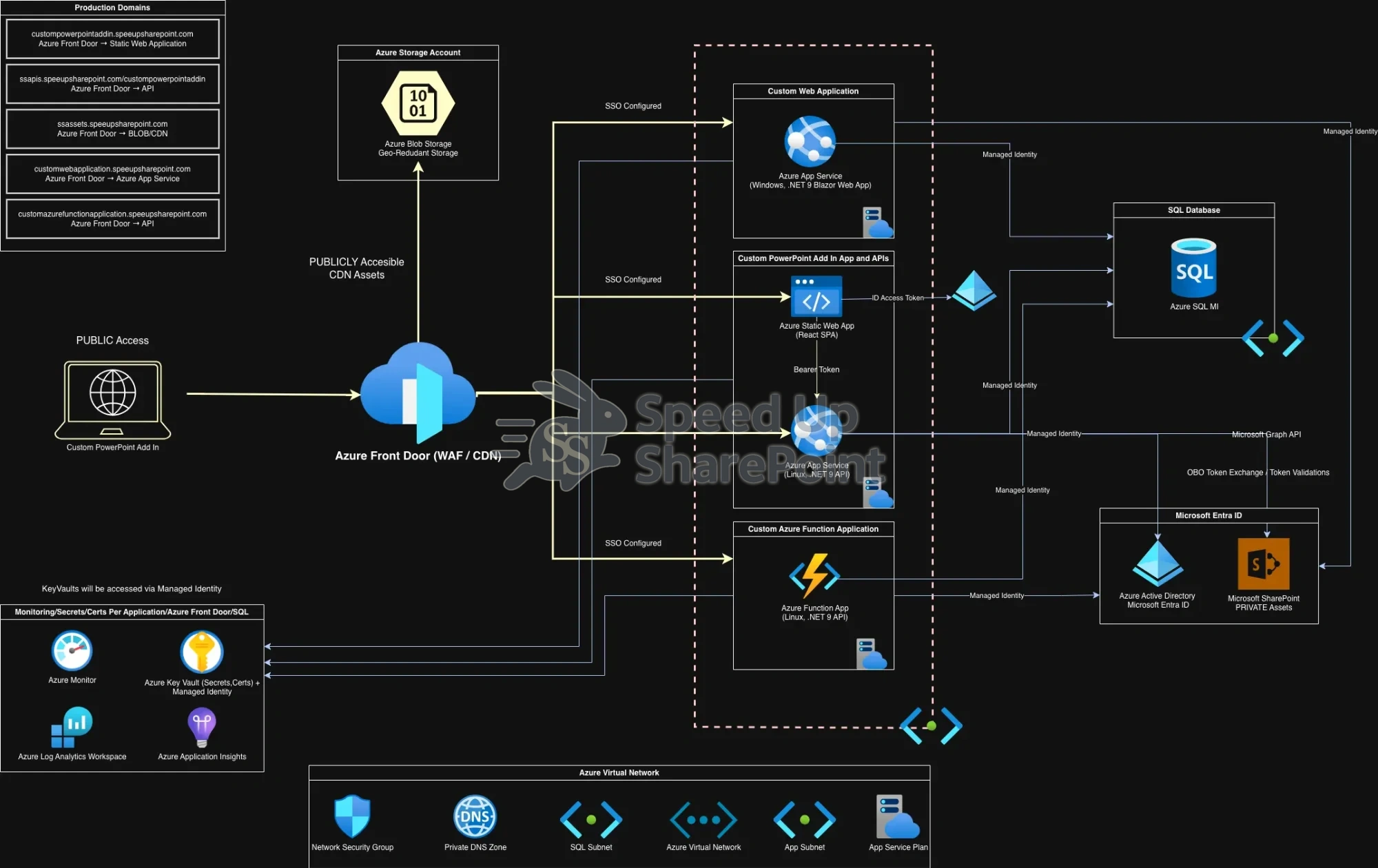
Click to view full-size diagram.