
Understanding Power Automate Throttling
Power Automate imposes limits on API calls to SharePoint and other connectors. Flows may fail when:
- Working with large lists or libraries
- Running many actions in parallel
- Exceeding connector-specific request limits
Common Symptoms
- Flow run failures with HTTP 429 or 503 errors
- Delayed execution of actions
- Partial updates in SharePoint lists or libraries
Best Practices to Prevent Throttling
- Use batch operations and loops efficiently
- Implement retry policies with exponential backoff
- Filter data at the source using OData queries
- Split large flows into smaller, modular flows
- Monitor flows with logging and alerting
Alternative Approaches
For extremely large datasets, consider hybrid architectures:
- Move structured data to SQL or Dataverse
- Keep SharePoint as a metadata or document store
- Use Power Automate to orchestrate, not transform massive datasets
Conclusion
By understanding throttling limits and applying best practices, you can keep your Power Automate flows reliable and your SharePoint environment performant.
High-Level Enterprise SharePoint Architecture
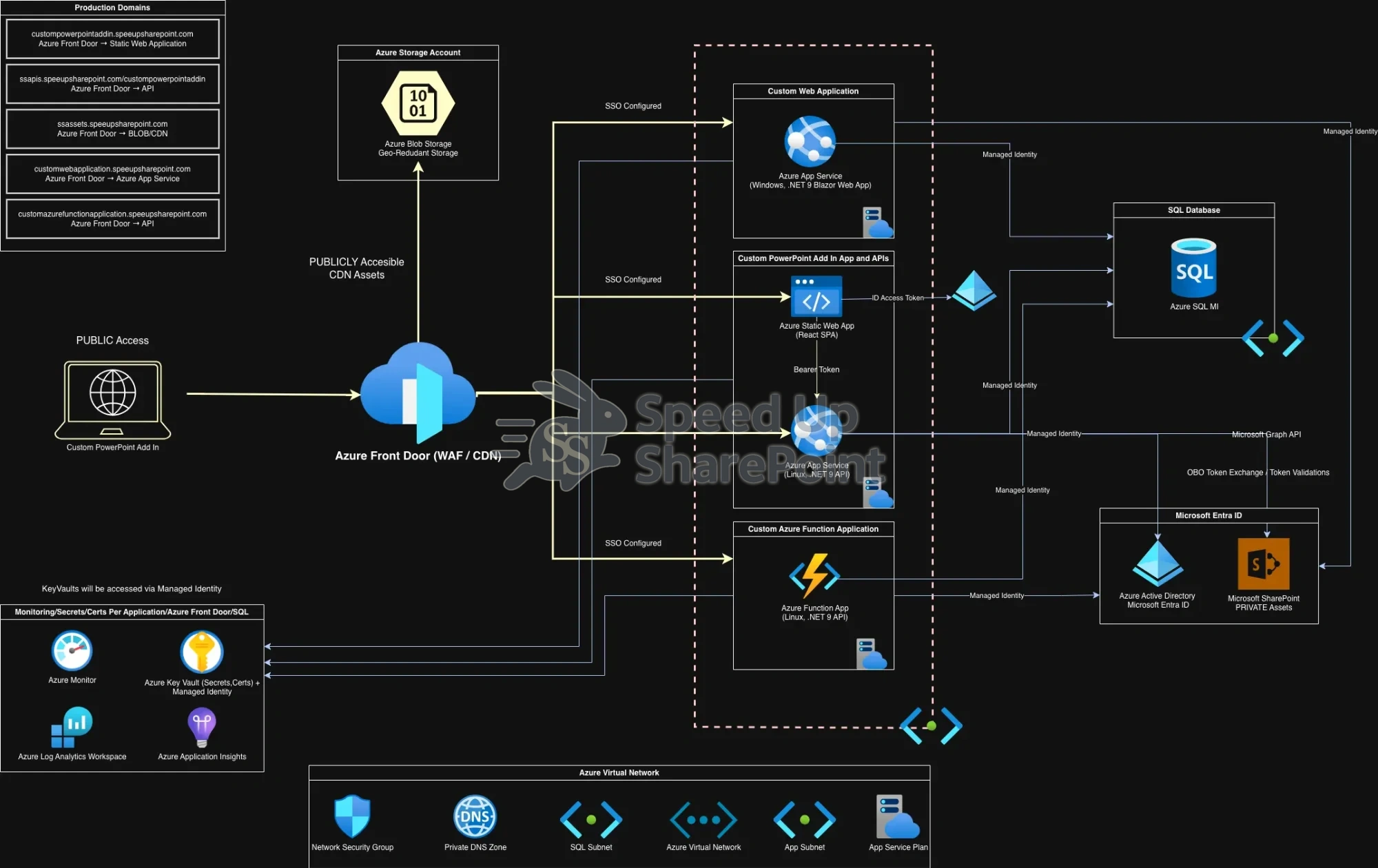
Click to view full-size diagram.